
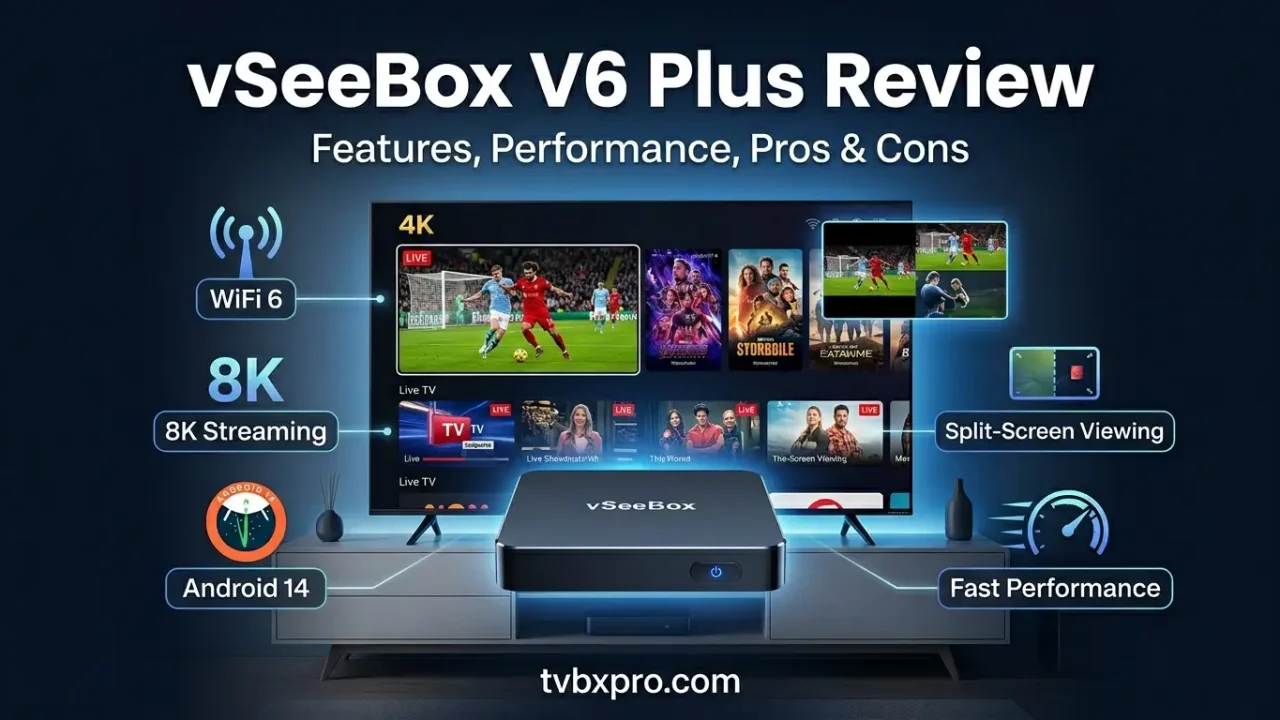
vSeeBox V6 Plus review searches have increased rapidly as more people look for an easy way to enjoy movies, live TV, sports, and entertainment on one device. The latest V6 Plus arrives with Android 14, WiFi 6, improved hardware, and several new features that promise a smoother viewing experience than previous generations.
But does it really live up to the hype?
After studying the most popular reviews, comparing specifications, and examining what actual users are saying, it’s clear that the V6 Plus is more than just another Android TV box. It offers several upgrades that make daily streaming easier and more enjoyable. However, like any device, it also has a few drawbacks that buyers should know before making a purchase.
In this detailed vSeeBox V6 Plus review, you’ll learn about its design, performance, features, setup process, and whether it delivers enough value to justify its price.
What Is the vSeeBox V6 Plus?
The vSeeBox V6 Plus is a premium Android TV box designed for people who want a simple entertainment center connected to their television. Once connected, the device allows users to access streaming apps, movies, TV shows, sports content, music, and much more from a single interface.
Unlike many budget streaming devices, the V6 Plus focuses on speed, smooth navigation, and advanced viewing features. It combines powerful hardware with modern software to create an experience that feels fast from the moment it is turned on.
Whether you are replacing cable TV or simply looking for a more capable streaming device, the V6 Plus aims to provide an all-in-one solution.
What’s New in the V6 Plus?
Every new vSeeBox model introduces improvements, and the V6 Plus continues that trend.
One of the biggest upgrades is the move to Android 14. The newer operating system improves overall responsiveness and helps applications run more efficiently. Menus feel quicker, apps open faster, and multitasking becomes smoother.
The device also includes WiFi 6 support. This newer wireless technology can provide a stronger and more stable connection when paired with a compatible router. For users who stream high-resolution content, this improvement can make a noticeable difference.
Another welcome addition is the upgraded split-screen capability. This feature allows users to watch multiple streams at the same time, making it particularly useful during sports events when several games are happening simultaneously.
If you have already read our review of the V5 Pro on TVBoxPro.com, you’ll notice that the V6 Plus builds on many of the strengths that made the previous generation popular while adding several practical upgrades.
vSeeBox V6 Plus Specifications
Before discussing real-world performance, it helps to understand what powers the device.
Hardware Overview
The V6 Plus comes equipped with a modern processor designed specifically for streaming and media playback. Combined with 4GB of RAM and 64GB of internal storage, the hardware provides enough power for everyday entertainment tasks.
Key specifications include:
- Android 14 operating system
- 4GB RAM
- 64GB storage
- WiFi 6 support
- Bluetooth connectivity
- 8K video output support
- HDR compatibility
- Ethernet port for wired internet
On paper, these specifications place the V6 Plus among the stronger Android TV boxes currently available.
Key Technical Highlights
The combination of 4GB RAM and 64GB storage helps the system remain responsive even when multiple applications are installed. Users who enjoy downloading media apps or storing content locally will appreciate the additional storage space.
WiFi 6 support is another major advantage. Streaming devices rely heavily on internet stability, and stronger wireless performance can reduce buffering and loading delays.
The 8K video capability also helps future-proof the device. While most households currently stream in 4K, support for higher resolutions means the V6 Plus is ready for newer display technologies as they become more common.
Overall, the hardware package feels balanced and well-suited for long-term use.
vSeeBox V6 Plus Design and Build Quality
The first thing many buyers notice about a streaming device is its design. Fortunately, the V6 Plus leaves a positive first impression.
First Impressions
The box has a clean and modern appearance that blends easily with most home entertainment setups. Its compact size allows it to fit neatly beside a television without taking up much space.
Although small, the device feels sturdy in hand. The materials do not feel cheap, and the overall construction suggests that durability was considered during development.
Ventilation openings are positioned carefully around the device to help manage heat during long viewing sessions. This can contribute to more stable performance over time.
Remote Control Experience
A streaming device is only as convenient as its remote control, and this is one area where the V6 Plus performs surprisingly well.
The remote feels comfortable to hold and includes dedicated buttons that make navigation easier. Voice search functionality allows users to find content without typing long titles manually.
For many users, the remote may seem like a small detail, but it plays a major role in the overall experience. A responsive remote can make everyday use far more enjoyable, and the V6 Plus succeeds in this area.
The button layout is easy to learn, even for family members who are not particularly comfortable with technology.
vSeeBox V6 Plus Setup and Installation
One of the biggest concerns for new buyers is whether the setup process will be difficult. Fortunately, the V6 Plus is designed to be beginner-friendly.
Unboxing Experience
Inside the package, users typically find the TV box, remote control, power adapter, HDMI cable, and setup instructions.
The presentation is neat and organized, making it easy to identify each component.
Initial Setup Process
Getting started takes only a few minutes.
After connecting the HDMI cable to your television and plugging in the power adapter, the device guides you through a straightforward setup process.
Users are asked to select language preferences, connect to the internet, and adjust a few basic settings.
The on-screen instructions are simple and easy to follow.
Connecting to WiFi and TV
Connecting the V6 Plus to a wireless network is quick. The WiFi menu clearly displays available networks, and entering the password takes only a moment.
Users who prefer maximum stability can also use the Ethernet port for a wired connection.
Once connected, the device checks for software updates and prepares itself for regular use.
Software Updates and Activation
Keeping software updated is important for security and performance.
The V6 Plus makes this process easy by checking for available updates automatically. Installing updates generally requires only a few button presses.
After setup is complete, users are ready to explore the device’s features and begin streaming content.
The overall installation experience is smooth enough that even first-time Android TV box users should feel comfortable navigating the process.
vSeeBox V6 Plus Performance Review
Performance is where a streaming box either impresses users or disappoints them. A long list of features means very little if the device feels slow during everyday use.
Fortunately, the V6 Plus starts strong.
User Interface Speed
From the moment the home screen loads, the system feels responsive. Menus open quickly, navigation remains smooth, and switching between apps happens with minimal waiting.
The upgraded hardware and Android 14 software work together to create a noticeably fluid experience.
Even after installing multiple applications, the device remains responsive during daily use.
App Launching and Navigation
Many lower-end TV boxes struggle when opening large streaming apps. Delays and lag can become frustrating over time.
The V6 Plus handles app launching much better. Popular streaming applications load quickly, and moving between menus feels natural.
Users who frequently switch between sports, movies, and live television content will appreciate the smoother navigation.
Multitasking Performance
The inclusion of 4GB RAM helps the system manage multiple applications efficiently.
Switching between recently opened apps feels quick, and the system rarely slows down during normal use.
For households where multiple family members use different apps throughout the day, this can make a significant difference in the overall experience.
At this stage, the V6 Plus demonstrates why many reviewers consider it one of the strongest streaming devices in its category.
Streaming Performance
A streaming box is judged by one thing more than anything else: how well it streams content day after day. The good news is that the V6 Plus performs very well in this area.
Whether watching live sports, movies, TV shows, or news channels, playback remains smooth most of the time. Videos load quickly, and channel switching feels faster than many older Android TV boxes.
The addition of WiFi 6 plays a major role here. A stronger wireless connection helps maintain stable streams, especially in homes where several devices are connected to the internet at the same time. Users with fast internet plans will likely notice fewer interruptions and less waiting.
For people who prefer the most reliable connection possible, the Ethernet port offers an excellent alternative. A wired connection often provides the most consistent streaming experience, particularly for 4K and higher-resolution content.
4K and 8K Playback Experience
The V6 Plus is built to handle high-resolution video, and it shows.
4K content looks sharp and detailed. Colors appear vibrant, and motion remains smooth during fast-moving scenes. Sports broadcasts, action movies, and nature documentaries all benefit from the improved picture quality.
Although 8K content is still limited, the device supports it for users who own compatible televisions. This gives the V6 Plus some future-ready appeal that may help it stay relevant for years to come.
Buffering and Stability
No streaming device can completely eliminate buffering because internet quality also matters. However, the V6 Plus does a good job maintaining stable playback when connected to a reliable network.
Many users report that streams remain consistent even during longer viewing sessions. This is especially important for sports fans who do not want interruptions during important moments of a game.
Overall, streaming performance is one of the strongest reasons to consider this device.
Video and Picture Quality
The viewing experience extends beyond simple playback speed. Picture quality also matters.
The V6 Plus delivers clear images that make movies and television programs enjoyable to watch.
Color and Detail
Colors appear rich without looking unnatural. Bright scenes feel lively, while darker scenes maintain enough detail to see what is happening on screen.
The support for HDR helps improve contrast, making highlights brighter and shadows more visible. This creates a more immersive viewing experience, particularly on modern televisions.
Smooth Motion Performance
Fast-moving content can reveal weaknesses in streaming devices. Sports broadcasts, racing events, and action films often expose motion issues.
Fortunately, the V6 Plus handles movement well. Motion remains smooth, and image quality stays consistent during scenes with lots of action.
For sports enthusiasts, this improvement alone may justify the upgrade from older models.
Modern Video Support
The V6 Plus supports modern video formats that are commonly used by streaming services today. This helps ensure compatibility with current content and reduces the chances of playback problems.
The result is a viewing experience that feels polished and dependable.
Exclusive Features That Make the V6 Plus Stand Out
One reason the V6 Plus receives attention is its collection of unique features that are not always available on competing devices.
Split Screen Mode
The split-screen feature is one of the most interesting additions.
Instead of watching only one program, users can divide the screen and view multiple streams simultaneously. This can be extremely useful during busy sports weekends when several games are happening at the same time.
Families may also find this feature helpful because different content can be viewed without constantly switching channels.
Multi-View Sports Watching
Sports fans are among the biggest beneficiaries of the V6 Plus.
The ability to monitor several games at once creates a viewing experience that feels closer to what sports bars and professional viewing setups provide.
For football, basketball, baseball, and other major events, this feature can become one of the device’s most-used tools.
Voice Search
Searching for content using a remote control can be frustrating. Typing long movie titles letter by letter takes time.
Voice search helps solve that problem.
Simply speaking into the remote allows users to find content quickly without manually entering text.
Playback Features
Several playback tools are designed to improve convenience.
Features such as replay options and content management tools help users keep track of programs they enjoy watching regularly.
These additions may not seem exciting at first, but they contribute to a smoother everyday experience.
Gaming and Entertainment Experience
Although the V6 Plus is primarily designed for streaming, it also performs well as a general entertainment device.
Casual Gaming
Casual Android games run smoothly on the system. Puzzle games, racing games, arcade titles, and family-friendly games generally perform without major issues.
The hardware is not intended to compete with dedicated gaming consoles, but it provides enough power for light gaming sessions.
Bluetooth Accessories
The inclusion of Bluetooth support makes it easy to connect accessories.
Users can pair headphones for private listening or connect compatible controllers for gaming.
This flexibility expands the ways people can use the device beyond basic streaming.
Media Playback
The V6 Plus also works well for local media playback.
Users with personal video collections can enjoy movies, photos, and music through supported media applications.
This versatility makes the device useful even when internet access is unavailable.
Real User Feedback and Community Opinions
Reading specifications is helpful, but real-world experiences often reveal what daily ownership is actually like.
After reviewing user discussions and owner feedback, several common themes appear.
What Users Like Most
Many owners praise the speed of the interface. Menus respond quickly, applications launch without long delays, and overall navigation feels smooth.
The split-screen feature receives positive attention from sports fans.
Users also appreciate the generous storage space, which allows them to install more applications without constantly worrying about running out of room.
The remote control earns praise as well because it feels comfortable and simple to use.
Common Complaints
No device is perfect.
Some buyers mention that the V6 Plus costs more than entry-level streaming devices. Budget-conscious shoppers may hesitate because less expensive alternatives exist.
Others point out that some advanced features require a little time to learn.
However, most complaints tend to be relatively minor compared to the positive feedback the device receives.
vSeeBox V6 Plus Pros and Cons
Pros
- Fast and responsive performance
- Android 14 operating system
- WiFi 6 support
- Large 64GB storage capacity
- Smooth 4K playback
- 8K support for future compatibility
- Useful split-screen viewing feature
- Easy setup process
- Strong remote control experience
Cons
- Higher price than some competing devices
- Certain features may be unnecessary for casual users
- New users may need time to learn all available functions
vSeeBox V6 Plus vs V5 Pro
Many buyers are trying to decide between the V6 Plus and the V5 Pro.
If you’ve already published a V5 Pro review on TVBoxPro.com, this is an excellent place to add an internal link to that article.
Performance Comparison
The V6 Plus generally feels faster during everyday use. Navigation is smoother, and application switching happens more quickly.
Software Comparison
Android 14 gives the V6 Plus an advantage over older software versions found on previous models.
Feature Comparison
The improved split-screen functionality and newer wireless technology help separate the V6 Plus from the V5 Pro.
Which Offers Better Value?
For users upgrading from much older devices, the V6 Plus makes sense because of its newer hardware and software.
However, current V5 Pro owners who are satisfied with their device may not view the upgrade as essential.
vSeeBox V6 Plus vs Elite Ultra
Another common comparison involves the Elite Ultra.
If your website already contains an Elite Ultra review, consider linking to it here as well.
Hardware Differences
Both devices offer strong performance, but each focuses on slightly different strengths.
The V6 Plus places significant emphasis on user-friendly viewing features and overall streaming convenience.
Everyday Usage
In daily use, both devices perform well. Most users are unlikely to notice dramatic differences during routine streaming sessions.
Which One Should You Buy?
The answer depends on personal priorities.
If split-screen viewing and the latest software improvements are important, the V6 Plus becomes a strong choice.
If other specific features offered by the Elite Ultra better match your needs, that model may be worth considering instead.
Who Should Buy the vSeeBox V6 Plus?
The V6 Plus is best suited for people who stream content regularly and want a smooth experience.
Ideal Buyers
This device works particularly well for:
- Sports fans
- Movie lovers
- Families
- Cord-cutters replacing traditional cable
- Users who stream daily
Who Might Skip It?
People who only watch occasional streaming content may not need all of the extra features included with the V6 Plus.
Budget-focused buyers may also prefer lower-priced alternatives.
Is the vSeeBox V6 Plus Worth It in 2026?
After examining its hardware, software, performance, and real-world usability, the answer is largely yes.
The V6 Plus delivers a fast and enjoyable streaming experience. The combination of Android 14, WiFi 6, generous storage, and useful viewing features helps it stand out from many competing Android TV boxes.
Its strengths are not limited to specifications on paper. Everyday use feels smooth, setup is simple, and the overall experience remains enjoyable even after extended use.
While the price may be higher than some entry-level alternatives, buyers receive a device that feels more complete and better prepared for future streaming demands.
For users seeking a premium Android TV box with modern features and dependable performance, the V6 Plus is a strong contender.
Final Rating: 9/10
Frequently Asked Questions
Is the vSeeBox V6 Plus legal?
The hardware itself is legal to purchase and own. Users should always follow local laws and only access content through authorized sources.
Does the vSeeBox V6 Plus require a monthly subscription?
The device itself does not require a mandatory monthly subscription. However, certain third-party services may have their own subscription fees.
Can the vSeeBox V6 Plus stream in 8K?
Yes. The device supports 8K video playback on compatible displays.
Does the V6 Plus support WiFi 6?
Yes. WiFi 6 support is one of the major upgrades included with this model.
Is the V6 Plus better than the V5 Pro?
The V6 Plus offers newer software, improved wireless connectivity, and additional features that make it a stronger overall package.
Can I connect Bluetooth headphones?
Yes. Bluetooth headphones and other compatible accessories can be paired with the device.
Does the V6 Plus support split-screen viewing?
Yes. Split-screen functionality is one of its standout features.
How much storage does the V6 Plus have?
The device includes 64GB of internal storage, providing plenty of room for applications and media files.