
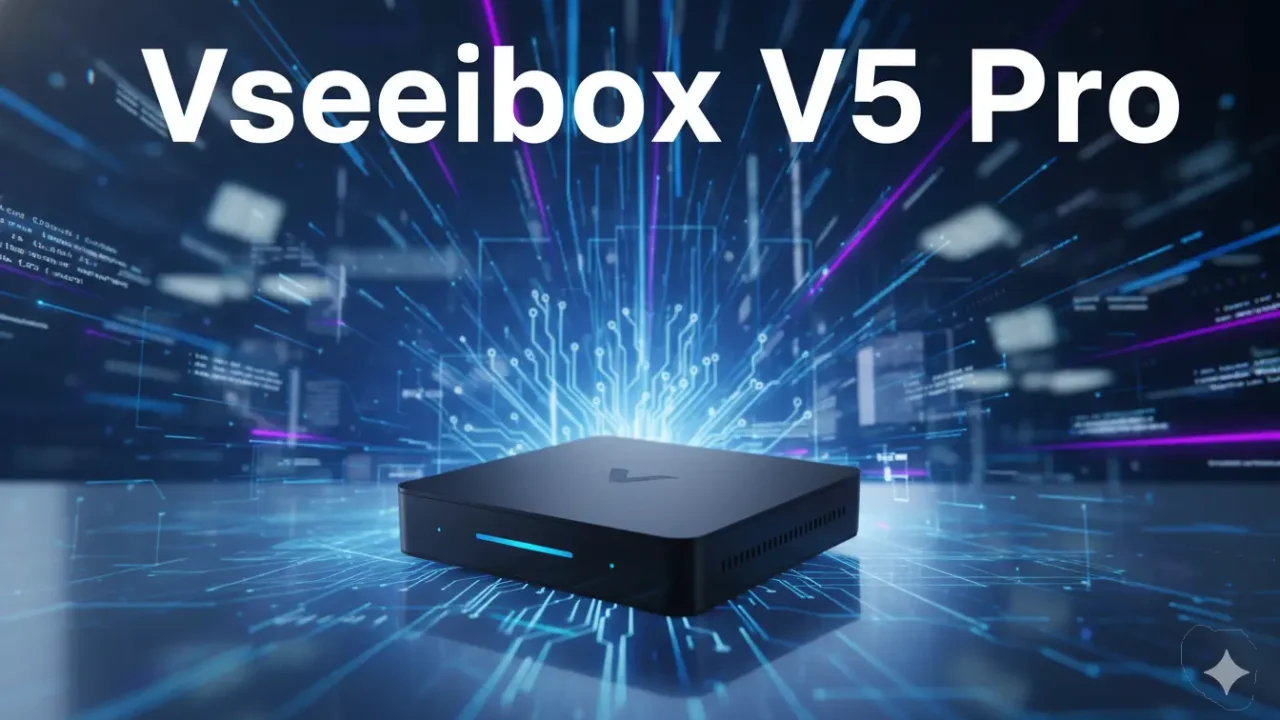
vSeeBox V5 Pro is becoming one of the most talked-about Android TV boxes among people who want more entertainment without paying for expensive cable plans every month. Many users are searching for a streaming device that is fast, simple to use, and packed with live TV, movies, sports, and apps in one place. That is one reason why the vSeeBox V5 Pro is getting so much attention in 2026.
Streaming devices are everywhere today, but not all of them give the same experience. Some boxes feel slow after a few weeks. Others have buffering problems or confusing menus that make watching TV frustrating. The vSeeBox V5 Pro tries to solve these problems with better hardware, faster internet support, and an easy setup process.
People who enjoy watching sports, international channels, movies, cartoons, and TV shows often look for devices that can handle smooth streaming without freezing every few minutes. This Android TV box is designed for that type of user. It combines modern streaming features with a simple interface that even beginners can understand.
If you have already read our guides on Android streaming devices and IPTV entertainment systems, you may notice that the vSeeBox V5 Pro follows the same trend of giving users more control over what they watch at home. It is built for people who want flexibility and convenience without dealing with difficult settings.
What Is vSeeBox V5 Pro?
The vSeeBox V5 Pro is an Android 12 streaming box that connects to your television and turns it into a smart entertainment center. Once connected, users can access live TV channels, movies, sports, music apps, streaming services, and online content directly from their TV screen.
Unlike regular cable boxes, this device works through the internet. That means users can stream content using WiFi or Ethernet instead of relying on satellite or cable lines. Many people like this because it gives them more freedom and often lowers monthly entertainment costs.
One thing that makes the vSeeBox V5 Pro stand out is its focus on smooth playback. Many cheaper Android TV boxes struggle with lag and buffering, especially when streaming high-quality video. This model includes updated hardware and WiFi 6 support to help improve speed and stability.
The device also runs on Android 12, which helps apps open faster and work better with newer streaming services. The menu feels clean and easy to move around. Even people who are not very comfortable with technology can usually learn the system quickly.
Another reason why people search for the vSeeBox V5 Pro is its support for 4K and 8K video playback. Viewers who own modern smart TVs often want sharper picture quality, brighter colors, and smoother motion. This streaming box is built to support those features.
vSeeBox V5 Pro Features That Make It Popular
The streaming market is crowded with many devices, but the vSeeBox V5 Pro has a few features that help it stand out from ordinary Android TV boxes.
vSeeBox V5 Pro Comes With Android 12
One of the biggest improvements in the vSeeBox V5 Pro is the Android 12 operating system. Older streaming boxes sometimes feel outdated because they run older Android versions that do not support newer apps properly.
Android 12 gives users a cleaner interface and smoother navigation. Apps open faster, switching between menus feels easier, and overall performance feels more modern. This matters because nobody wants to wait several seconds every time they open an app or channel.
The updated software also helps improve security and compatibility. More streaming apps continue to work properly, which means fewer crashes and fewer playback problems.
vSeeBox V5 Pro Supports 4K and 8K Streaming
Video quality is important for many users today. People now expect clear pictures, rich colors, and sharp detail while watching movies or sports.
The vSeeBox V5 Pro supports both 4K and 8K video playback. If your TV supports these resolutions, the device can produce a much clearer image than older HD streaming boxes.
Sports fans especially enjoy smoother motion during live games. Movie lovers notice better detail in dark scenes and brighter colors during action sequences. Even cartoons and animated shows can look more colorful and alive on modern televisions.
Of course, internet speed still matters. A strong internet connection is needed for the best streaming quality, especially when watching 4K or 8K content.
WiFi 6 Helps Reduce Buffering
Buffering is one of the most annoying problems in streaming. Nobody likes watching a movie freeze in the middle of an important scene.
The vSeeBox V5 Pro includes WiFi 6 support, which helps improve internet speed and stability. Compared to older WiFi systems, WiFi 6 handles multiple devices more efficiently. That means streaming can remain smoother even when several people in the house are using the internet at the same time.
Users who want the most stable connection can also use the Ethernet port. A wired connection is often better for heavy streaming, especially for live sports and high-resolution content.
Bluetooth Voice Remote Makes Navigation Easier
Another feature people enjoy is the Bluetooth voice remote. Instead of typing everything manually, users can search for apps, movies, or channels using voice commands.
This makes the system feel easier for beginners. Older users and children may also find voice search simpler than typing with a remote control.
The remote itself feels responsive and lightweight. The buttons are easy to understand, which helps reduce confusion while navigating the menus.
vSeeBox V5 Pro Specifications
Before buying any streaming device, many people want to know what hardware is inside the box. The vSeeBox V5 Pro includes updated specifications designed for faster streaming and smoother performance.
The device usually comes with 4GB RAM, which helps apps run more smoothly without freezing. It also includes enough storage space for downloading streaming apps, media players, and other entertainment tools.
The processor inside the vSeeBox V5 Pro is designed to handle high-quality streaming without slowing down the system. This becomes important when switching between apps or watching high-resolution video.
Bluetooth 5.0 support also improves wireless connections for accessories like headphones, speakers, and game controllers.
Users who enjoy home entertainment systems often look for devices that combine speed, video quality, and stable internet support. The vSeeBox V5 Pro tries to deliver all three in one package.
How to Set Up vSeeBox V5 Pro
Setting up the vSeeBox V5 Pro is simple compared to many other Android TV boxes. Even first-time users can usually finish the setup process within a few minutes.
First, connect the device to the television using the HDMI cable included in the box. After that, plug the power adapter into an electrical outlet and turn on the TV.
Once the device starts, the setup menu appears on the screen. Users can then connect the vSeeBox V5 Pro to WiFi or Ethernet internet service. A stable internet connection is important for smooth streaming.
After connecting to the internet, users can sign into their Google account to download apps from the Play Store. Many streaming apps are already available, and additional apps can also be installed depending on user preference.
The Bluetooth remote usually pairs automatically during setup. Voice search can then be activated to help users search for content faster.
One reason why many people like the vSeeBox V5 Pro setup process is because the menu feels clean and easy to follow. Some Android TV boxes overload users with complicated settings, but this device keeps things simple.
vSeeBox V5 Pro Streaming Performance Review
Streaming performance is where the vSeeBox V5 Pro receives most of its attention. Many users buy this device mainly because they want smoother playback and fast channel loading.
During normal use, the menus respond quickly without much delay. Apps usually open within seconds, and switching between channels feels smooth.
Live TV streaming is one of the strongest parts of the vSeeBox V5 Pro experience. Sports channels, news channels, and entertainment content generally load quickly when paired with a strong internet connection.
Movie playback also feels stable. Users watching 4K content often report sharp image quality and fewer buffering problems compared to lower-end streaming boxes.
Another positive point is heat management. Some Android TV boxes become hot after long streaming sessions, which can slow down performance. The vSeeBox V5 Pro handles long viewing sessions better than many budget streaming devices.
Audio quality is also clear when connected to modern TVs or sound systems. Combined with HDR video support, the overall entertainment experience feels more enjoyable for users who spend a lot of time streaming content at home.
Apps and Content Available on vSeeBox V5 Pro
One major reason people search for the vSeeBox V5 Pro is content access. Users want a device that supports many apps and different types of entertainment in one place.
The device supports popular streaming apps, media players, and Android TV applications. Users can install entertainment apps through the Google Play Store and access movies, TV shows, sports, music, and international channels.
Many people also use streaming boxes for family entertainment. Children may watch cartoons and educational content, while adults enjoy movies, documentaries, and live sports.
The ability to customize apps is another reason why Android TV boxes remain popular. Users can organize apps based on personal preference and create a more personalized viewing experience.
Because the vSeeBox V5 Pro uses Android 12, app compatibility is generally better than older streaming devices. Newer apps continue working more smoothly, which helps improve long-term usability.
vSeeBox V5 Pro Pros and Cons
Every streaming device has good and bad sides, and the same is true for the vSeeBox V5 Pro. Before spending money on any Android TV box, it helps to understand what users enjoy most and where the device still has a few weak points.
One of the biggest advantages of the vSeeBox V5 Pro is speed. The menus open quickly, apps respond smoothly, and switching between channels feels fast. Many users buy streaming devices because they are tired of slow systems that freeze often. This device does a better job than many lower-priced TV boxes.
Another strong point is picture quality. The support for 4K and 8K streaming helps movies and sports look sharper on modern televisions. Colors appear brighter, and motion looks smoother during live events.
The setup process is also beginner-friendly. Some streaming boxes confuse users with too many settings and difficult menus. The vSeeBox V5 Pro keeps things simple, which makes it easier for families and older users.
WiFi 6 support is another helpful feature. Faster wireless internet can reduce buffering and make streaming more stable. Users with strong home internet connections often notice smoother playback compared to older Android TV boxes.
The Bluetooth voice remote also improves the experience. Voice search saves time and makes navigation easier, especially for people who do not enjoy typing with remote buttons.
Even with these benefits, there are a few things buyers should consider. The vSeeBox V5 Pro usually costs more than basic streaming devices like entry-level Firesticks. Some users may not want to spend extra money if they only stream simple content occasionally.
Another small downside is that some apps may behave differently depending on updates or internet quality. While the system runs smoothly most of the time, no streaming device is perfect in every situation.
Customer support experiences also seem mixed online. Some users report fast responses, while others say support can take longer than expected.
vSeeBox V5 Pro vs Firestick vs SuperBox
Many people compare the vSeeBox V5 Pro with other popular streaming devices before making a decision. The most common comparisons include Amazon Firestick and SuperBox devices.
The Firestick is smaller and cheaper, which makes it attractive for casual users. It works well for basic streaming apps like Netflix and YouTube. However, the vSeeBox V5 Pro usually offers more storage, stronger hardware, and a wider Android TV experience.
The Firestick interface is heavily connected to Amazon services. Some users enjoy this, while others prefer the more open Android system found on the vSeeBox V5 Pro.
When comparing the vSeeBox V5 Pro with SuperBox devices, the differences become smaller because both target users who want larger entertainment options and live TV features.
The vSeeBox V5 Pro often stands out because of its smoother interface and updated Android 12 system. Many users also mention that the voice remote and faster navigation feel more polished.
SuperBox devices still have loyal fans, especially among people who already know the platform. But users searching for updated software and stronger streaming performance often lean toward the vSeeBox V5 Pro.
Picture quality on all three devices can look good with strong internet, but the vSeeBox V5 Pro usually performs better during heavy streaming sessions thanks to WiFi 6 and improved hardware.
For users who only need basic streaming apps, a Firestick may be enough. But users who want more flexibility, stronger performance, and broader app support often prefer the vSeeBox V5 Pro.
Is vSeeBox V5 Pro Legal and Safe to Use?
One question that appears often online is whether the vSeeBox V5 Pro is legal and safe.
The device itself is legal because it is simply an Android streaming box. Similar devices are sold all over the world. Problems usually depend on how users access or stream content.
Streaming laws can differ between countries. Some apps and services may have proper licenses, while others may not. That is why users should always understand local rules and choose content sources carefully.
Many people also use VPN services while streaming. A VPN can help improve privacy while browsing online content. However, users should still follow local laws and use streaming services responsibly.
In terms of safety, the vSeeBox V5 Pro runs on Android 12, which helps support newer security updates and better app compatibility. Users should still avoid downloading unknown apps from unsafe sources because that can create security risks on almost any Android device.
Keeping apps updated and using trusted downloads can help improve the overall experience.
What Users Say About vSeeBox V5 Pro
Customer feedback for the vSeeBox V5 Pro is mostly positive, especially among users looking for a complete home entertainment device.
Many people praise the fast performance and easy setup. Reviews often mention that the system feels smooth even after long streaming sessions. Users also like the clean menu layout because it feels easier to understand than some older Android TV boxes.
Sports fans frequently talk about stable live TV playback and faster channel loading. Families also mention that the device works well for different types of entertainment, including cartoons, movies, and international content.
Picture quality receives positive attention too. Users with modern smart TVs often enjoy the sharp 4K streaming experience and bright HDR colors.
The voice remote is another feature that gets mentioned often. Many users appreciate being able to search for shows or apps without typing everything manually.
Some negative reviews focus on internet-related issues. Like most streaming devices, performance depends heavily on connection quality. Users with weak WiFi sometimes experience buffering problems, especially during high-resolution streaming.
A few people also mention that learning Android TV settings can take time if they have never used a streaming box before. Still, most users seem comfortable after using the system for a short period.
Overall, the vSeeBox V5 Pro receives strong feedback from users who want a powerful streaming device with modern features and flexible content options.
vSeeBox V5 Pro Pricing and Where to Buy
The price of the vSeeBox V5 Pro can vary depending on storage size, seller, and special offers. Some online stores include extra accessories or bundle deals, while others sell only the basic package.
Buyers should always compare prices carefully before ordering. Checking warranty details and return policies is also important, especially when purchasing expensive electronics online.
Many users prefer buying from official sellers or trusted marketplaces because it lowers the risk of receiving damaged or outdated products.
While the vSeeBox V5 Pro costs more than basic streaming sticks, many buyers feel the extra features justify the higher price. Faster hardware, better internet support, and smoother streaming performance are some of the reasons users are willing to spend more.
People who stream daily often see it as a long-term entertainment investment rather than just another gadget.
Is vSeeBox V5 Pro Worth Buying in 2026?
The vSeeBox V5 Pro stands out as a strong Android streaming box for users who want smooth performance, modern features, and flexible entertainment options in one device.
Its combination of Android 12, WiFi 6, 4K and 8K support, voice remote features, and stable streaming performance makes it appealing for many different types of users. Families, sports fans, movie lovers, and cord-cutters can all find something useful in this streaming box.
The system feels fast during daily use, and the interface is simple enough for beginners to learn without much frustration. Compared to many cheaper Android TV boxes, the vSeeBox V5 Pro delivers a more polished experience.
Of course, no streaming device is perfect for everyone. Users who only watch simple streaming apps occasionally may not need all of its extra features. But people looking for stronger performance and broader content access will likely appreciate what the device offers.
For users searching for a reliable Android TV box with strong streaming quality and modern hardware, the vSeeBox V5 Pro remains one of the more interesting choices in 2026.
Frequently Asked Questions About vSeeBox V5 Pro
What is vSeeBox V5 Pro used for?
The vSeeBox V5 Pro is an Android TV streaming box used for watching live TV, movies, sports, TV shows, and streaming apps on a television. It connects to the internet and turns a regular TV into a smart entertainment system.
Does vSeeBox V5 Pro support 4K streaming?
Yes, the vSeeBox V5 Pro supports 4K streaming. It also supports 8K video playback on compatible TVs. Users with fast internet connections can enjoy sharper picture quality and smoother video performance.
Is vSeeBox V5 Pro easy to set up?
Yes, the setup process is simple. Users only need to connect the device to the TV with an HDMI cable, connect to WiFi or Ethernet, and follow the on-screen instructions. Most people can finish the setup within a few minutes.
Does vSeeBox V5 Pro come with a voice remote?
Yes, the vSeeBox V5 Pro includes a Bluetooth voice remote. Users can search for apps, channels, and movies using voice commands instead of typing manually.
Can I install apps on vSeeBox V5 Pro?
Yes, users can install apps from the Google Play Store. The device supports many streaming apps, media players, and Android TV applications.
Does vSeeBox V5 Pro support WiFi 6?
Yes, the vSeeBox V5 Pro supports WiFi 6 technology. This helps improve internet speed and reduces buffering during streaming.
Is vSeeBox V5 Pro better than Firestick?
The answer depends on user needs. The Firestick is cheaper and works well for basic streaming. However, the vSeeBox V5 Pro offers more storage, stronger hardware, Android 12 support, and smoother overall performance.
Can I use vSeeBox V5 Pro with any TV?
The vSeeBox V5 Pro works with most modern TVs that support HDMI connections. It can be used with smart TVs and non-smart TVs.
Is the vSeeBox V5 Pro legal?
The device itself is legal because it is an Android streaming box. However, streaming laws depend on the apps and content sources users access in their country.
Does vSeeBox V5 Pro require a monthly subscription?
The device itself does not always require a monthly subscription. However, some streaming apps or services installed on the device may charge separate subscription fees.
What internet speed is recommended for vSeeBox V5 Pro?
For smooth HD streaming, a stable internet connection is recommended. Faster internet speeds are better for 4K and 8K streaming to reduce buffering problems.
Is vSeeBox V5 Pro good for sports streaming?
Yes, many users enjoy the vSeeBox V5 Pro for sports streaming because of its fast channel loading, smooth playback, and high video quality support.
Can beginners use vSeeBox V5 Pro easily?
Yes, the menu system is simple and beginner-friendly. Even users who have never used an Android TV box before can usually learn it quickly.
Does vSeeBox V5 Pro support Bluetooth devices?
Yes, the device supports Bluetooth 5.0. Users can connect wireless headphones, speakers, keyboards, and other compatible accessories.
Is vSeeBox V5 Pro worth buying in 2026?
For users who want fast streaming performance, modern features, and flexible entertainment options, the vSeeBox V5 Pro remains a strong choice in 2026.