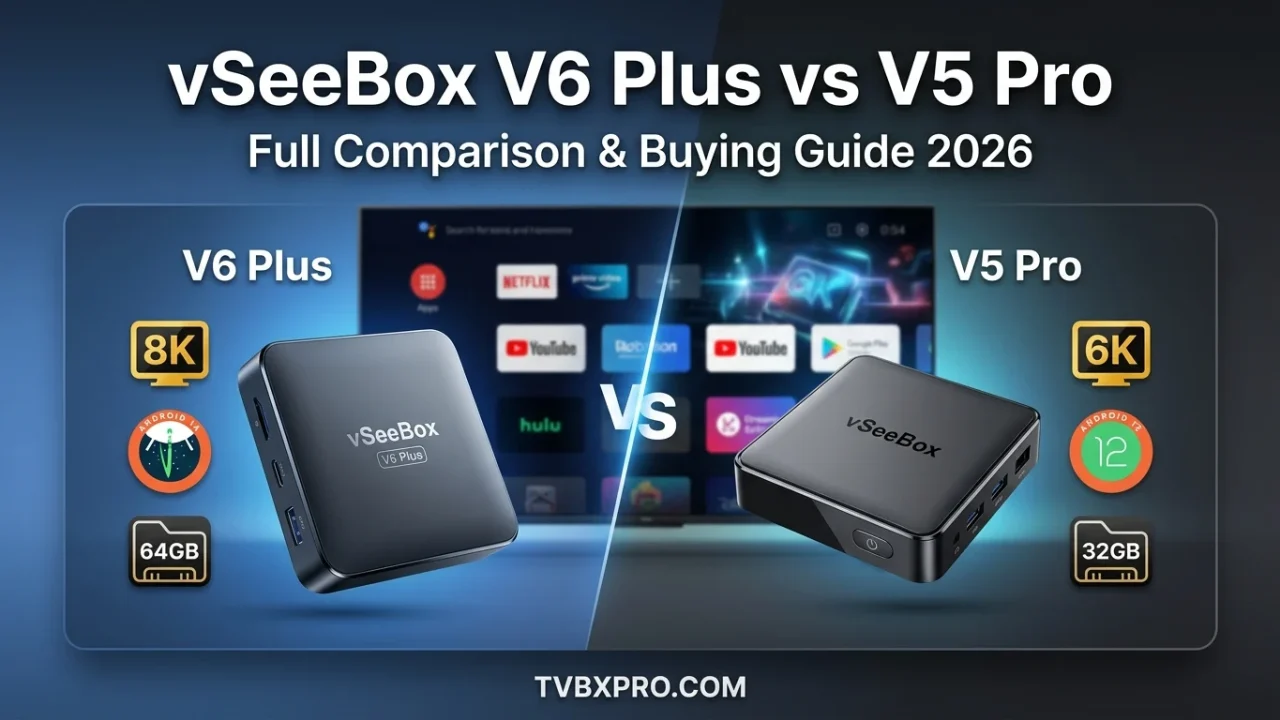
vSeeBox V6 Plus vs V5 Pro is one of the most common comparisons among people looking for a powerful streaming box. Both devices come from the same brand and offer access to movies, TV shows, live channels, sports, and many entertainment apps. At first glance, they may look similar, but there are important differences that can affect your viewing experience.
If you are trying to decide between these two models, this guide will help you understand what sets them apart. We will compare their hardware, software, storage, streaming quality, and overall performance so you can choose the right device for your home.
The V5 Pro has been a popular choice for a long time because of its smooth performance and reliable streaming. The newer V6 Plus builds on that success with updated hardware, a newer Android version, more storage space, and several improvements designed for future streaming needs.
If you are new to the vSeeBox lineup, you may also want to read our detailed review of the vSeeBox V5 Pro for a closer look at its features and real-world performance.
vSeeBox V6 Plus vs V5 Pro at a Glance
Before diving into the details, it helps to see how these two streaming boxes compare side by side.
| Feature | vSeeBox V6 Plus | vSeeBox V5 Pro |
|---|---|---|
| Operating System | Android 14 | Android 12 |
| RAM | 4GB | 4GB |
| Internal Storage | 64GB | 32GB |
| Video Resolution | Up to 8K | Up to 6K |
| WiFi | WiFi 6 | WiFi 6 |
| Voice Remote | Yes | Yes |
| Bluetooth | Yes | Yes |
| Expandable Storage | Yes | Yes |
| Release Year | Newer Model | Older Model |
Looking at the specifications alone, the V6 Plus appears to have an advantage. However, specifications do not always tell the whole story. Real-world performance is often more important than numbers on a product page.
Many users still choose the V5 Pro because it delivers a smooth streaming experience and costs less than the newer model. The key question is whether the upgrades found in the V6 Plus are worth the extra money.
vSeeBox V6 Plus vs V5 Pro Design and Build Quality
When you place these devices next to each other, you can immediately see that both are designed with simplicity in mind. They are compact enough to fit beside a television without taking up much space.
vSeeBox V6 Plus Design
The V6 Plus features a refreshed design that feels more modern. The housing looks cleaner and more refined, making it a good match for newer entertainment setups. The device is built to stay cool during long streaming sessions, which helps maintain stable performance.
The ports are arranged neatly, making it easy to connect external drives, Ethernet cables, and other accessories. For users who store large media collections, this setup is especially convenient.
The overall build gives the impression of a product designed with long-term use in mind.
vSeeBox V5 Pro Design
The V5 Pro follows a similar design philosophy but has a slightly older appearance. That does not mean it feels outdated. In fact, many users appreciate its straightforward design because it is easy to set up and use.
The device remains compact, lightweight, and durable. It fits comfortably into almost any entertainment center and continues to perform well after years of regular use.
For many households, the V5 Pro still looks and feels like a premium streaming box.
Which Design Is Better?
The difference is not dramatic, but the V6 Plus feels more refined. The updated appearance and improved layout give it a slight edge.
That said, design alone is unlikely to influence most buying decisions. Both models are attractive, practical, and easy to integrate into a home entertainment setup.
vSeeBox V6 Plus vs V5 Pro Hardware Specifications
Hardware is where the biggest differences begin to appear. A streaming box relies on its processor, memory, and storage to handle apps, video playback, and multitasking.
While both devices are capable performers, the V6 Plus introduces several improvements that make it better prepared for future demands.
Processor Performance
The processor acts as the brain of the streaming box. It handles app launches, menu navigation, video decoding, and background tasks.
The V5 Pro has earned a reputation for smooth operation. Apps open quickly, menus respond well, and streaming remains stable throughout daily use.
The V6 Plus takes things a step further. The newer hardware allows apps to launch faster and improves responsiveness when switching between tasks. The difference may seem small during casual use, but it becomes more noticeable when multiple applications are installed.
Users who stream every day will appreciate the extra speed because it helps reduce waiting times and keeps navigation feeling smooth.
RAM Comparison
Both devices include 4GB of RAM.
This means they can handle streaming apps, web browsing, and other common activities without major slowdowns. Since both models offer the same amount of memory, neither device has a significant advantage in this area.
For most users, 4GB of RAM is more than enough for entertainment purposes.
Storage Comparison
Storage is one of the most important upgrades found in the V6 Plus.
The V5 Pro includes 32GB of internal storage, which is sufficient for many users. However, storage can fill up quickly if you install numerous apps, download content, or store media files.
The V6 Plus doubles that capacity to 64GB.
This extra space gives users greater flexibility. You can install more applications, save additional content, and avoid the frustration of constantly deleting files to make room for new ones.
For households with several family members using the same device, the larger storage capacity can make a noticeable difference over time.
Expandable Storage Support
Many people use external drives to store movies, TV shows, and personal media collections.
Both devices support external storage options, making it easy to expand capacity beyond the built-in storage. This is useful for users who maintain large video libraries.
However, because the V6 Plus starts with more internal storage, it offers greater convenience right out of the box.
vSeeBox V6 Plus vs V5 Pro Operating System Comparison
The operating system determines how the device feels during everyday use. It affects app compatibility, security, navigation, and future software support.
This is one area where the V6 Plus holds a clear advantage.
Android 14 on vSeeBox V6 Plus
The V6 Plus comes with Android 14, giving users access to newer features and improved compatibility with modern applications.
A newer operating system often means better support for future app updates. As streaming services continue to evolve, newer software helps ensure that apps continue working smoothly.
Android 14 also brings a cleaner user experience. Navigation feels polished, settings are easier to manage, and overall performance benefits from software optimizations.
For buyers who want a device that remains useful for years, Android 14 adds significant value.
Android 12 on vSeeBox V5 Pro
The V5 Pro runs Android 12, which remains a capable and reliable platform.
Most popular streaming applications work perfectly well on Android 12. Users can enjoy movies, live television, sports, and on-demand content without major limitations.
Because Android 12 has been around longer, it is also a mature platform with proven stability. Many users appreciate this reliability.
For everyday streaming, Android 12 continues to perform very well.
Which Operating System Is Better?
The answer depends on your goals.
If you simply want a dependable streaming box for watching content today, Android 12 remains more than capable.
If you are looking for a device that feels newer and offers better long-term support, Android 14 makes the V6 Plus the stronger option.
For buyers planning to keep their streaming box for several years, the newer software may be one of the most important reasons to choose the V6 Plus.
vSeeBox V6 Plus vs V5 Pro Streaming Performance
When people buy a streaming box, they care most about one thing: how well it streams.
A device may have impressive specifications, but if videos buffer constantly or apps feel slow, the experience becomes frustrating.
Fortunately, both the V5 Pro and V6 Plus perform well in this area.
App Loading Speed
Opening apps quickly helps create a smooth experience.
The V5 Pro launches most popular streaming apps without noticeable delays. Users can move between entertainment services comfortably and enjoy responsive navigation.
The V6 Plus improves on this experience with faster loading times. Apps generally open quicker, and switching between them feels smoother.
The difference is not dramatic, but frequent users will notice the extra responsiveness.
Menu Navigation
Both devices offer clean and simple menus.
Scrolling through content, searching for shows, and adjusting settings feels smooth on both models. The V6 Plus has a slight advantage because of its updated hardware, but the V5 Pro remains highly responsive.
For most users, navigation quality will be excellent regardless of which device they choose.
Multitasking Performance
Many households use several streaming apps throughout the day.
Switching between apps, reopening recently used programs, and running multiple tasks is easier when the device has efficient hardware.
The V6 Plus handles multitasking more comfortably, especially when many applications are installed. The additional storage and newer platform help maintain consistent performance.
The V5 Pro still performs well, but heavy users may appreciate the added flexibility offered by the newer model.
vSeeBox V6 Plus vs V5 Pro Video Quality Comparison
Picture quality is one of the biggest reasons people upgrade their streaming devices. Even if a box loads apps quickly, it will not be enjoyable if the video looks blurry or lacks detail.
Both the V5 Pro and V6 Plus are designed to deliver high-quality streaming, but the newer model pushes things a little further.
vSeeBox V6 Plus 8K Streaming Support
The V6 Plus supports video output up to 8K resolution. While most households are still watching content in 4K, having 8K support gives the device extra room for the future.
If more streaming services begin offering higher-resolution content, the V6 Plus will be better prepared. Even when watching regular 4K content, many users report that videos appear sharp, detailed, and smooth.
For buyers who want a device that can keep up with future technology, 8K support is a nice bonus.
vSeeBox V5 Pro 6K Streaming Support
The V5 Pro supports up to 6K video output, which is still more than enough for most people.
Since the majority of streaming platforms currently focus on 4K content, most viewers will not notice a major difference between 6K and 8K support in everyday use.
The V5 Pro continues to provide clear images, vibrant colors, and an enjoyable viewing experience on modern televisions.
HDR and Color Quality
High Dynamic Range, often called HDR, helps improve brightness and color accuracy. It can make dark scenes easier to see and bright scenes look more realistic.
Both devices support modern video technologies that help create a richer viewing experience. Movies, sports, and nature documentaries often look more lifelike because colors appear deeper and more natural.
Which Device Delivers Better Picture Quality?
The V6 Plus wins on paper thanks to its 8K capability and newer hardware. However, most users watching standard streaming services on a 4K television may find the difference quite small.
For everyday streaming, both devices provide excellent picture quality. The V6 Plus simply offers a little more room for future advancements.
vSeeBox V6 Plus vs V5 Pro WiFi and Connectivity Comparison
A streaming box is only as good as its internet connection. Even the fastest device can struggle if connectivity is weak.
Fortunately, both models include modern connection options designed to keep streaming smooth.
WiFi 6 Performance
The V5 Pro and V6 Plus both support WiFi 6 technology.
WiFi 6 helps improve connection speed, especially in homes where many devices are connected to the network at the same time. Smartphones, laptops, tablets, gaming consoles, and smart TVs can all share bandwidth more efficiently.
For streaming movies and live channels, WiFi 6 helps reduce interruptions and buffering.
Ethernet Connection
Some users prefer a wired internet connection for maximum stability.
Both devices include an Ethernet port, allowing direct connection to a router. This option often provides the most reliable performance, particularly when streaming live sports or high-resolution content.
If your router is close to your television, an Ethernet connection can be a great choice.
Bluetooth Features
Bluetooth support allows users to connect wireless headphones, speakers, keyboards, and other accessories.
This can be especially useful for late-night viewing when you want to watch television without disturbing others in the house.
Both devices handle Bluetooth connections smoothly and offer similar performance in this area.
Which Model Has Better Connectivity?
The answer is simple: both perform very well.
Since each model includes WiFi 6, Bluetooth support, and Ethernet connectivity, there is no major winner here. Most users will enjoy reliable streaming regardless of which device they choose.
Voice Control and Smart Features
Modern streaming devices are becoming easier to use thanks to voice commands.
Instead of typing long movie titles using a remote control, users can simply speak into the microphone and search for content quickly.
Voice Search
Both the V5 Pro and V6 Plus include voice search functionality.
Searching for movies, TV shows, actors, or apps becomes much faster. This feature is particularly helpful for older users and children who may find traditional typing frustrating.
Smart Navigation
Voice control can also help users navigate menus, launch apps, and discover new content.
Rather than scrolling endlessly through categories, users can quickly find what they are looking for with a simple command.
Remote Control Experience
The remote controls included with both devices are comfortable and easy to use.
The V6 Plus benefits from newer software integration, making some voice interactions feel slightly quicker. However, the difference is not dramatic.
For everyday use, both remotes perform very well.
Storage and Media Playback
Many users do more than stream online content. They also store movies, family videos, music collections, and downloaded files.
This is where storage becomes important.
Local Media Playback
Both devices can play media files stored on external drives or USB storage devices.
Users can enjoy personal video collections without needing an internet connection. This flexibility makes both devices useful beyond traditional streaming.
External Storage Support
If you maintain a large movie library, external storage support becomes extremely valuable.
Both models allow users to connect external drives, making it easy to expand storage capacity whenever needed.
Which Device Is Better for Large Media Libraries?
The V6 Plus holds a clear advantage because it includes 64GB of internal storage compared to the V5 Pro’s 32GB.
That extra space provides more freedom to install apps and save content without worrying about running out of room.
For heavy users with large collections, the V6 Plus offers greater convenience.
vSeeBox V6 Plus vs V5 Pro Gaming Performance
Although streaming is their primary purpose, many users also enjoy playing Android games on their devices.
Casual Gaming
Both models can handle casual games without major issues.
Puzzle games, racing games, and many popular Android titles run smoothly on both devices.
Cloud Gaming
Cloud gaming services continue to grow in popularity.
Since cloud gaming depends heavily on internet speed, both devices perform reasonably well when connected to a strong network.
The V6 Plus may provide a slightly smoother experience thanks to its newer hardware, but both remain capable options.
Emulator Support
Users interested in retro gaming often install emulators.
The V6 Plus generally handles demanding emulators better due to its updated system. However, the V5 Pro can still manage many classic gaming systems comfortably.
For occasional gaming, either device will work well.
vSeeBox V6 Plus vs V5 Pro for Different Types of Users
Choosing the right model depends on how you plan to use it.
Best for Beginners
The V5 Pro is an excellent starting point for new users.
It is easy to use, reliable, and delivers strong performance without requiring a large investment.
Best for Families
Families who share one device may appreciate the V6 Plus because of its larger storage capacity.
More storage means more apps, more user preferences, and fewer limitations.
Best for Heavy Streamers
People who spend hours watching content every day may benefit from the V6 Plus.
The newer operating system, additional storage, and improved hardware help create a smoother long-term experience.
Best for Budget Buyers
The V5 Pro remains one of the strongest values in the vSeeBox lineup.
If your main goal is reliable streaming without spending extra money, it remains a smart choice.
Best for Technology Enthusiasts
Users who enjoy owning the latest technology will likely prefer the V6 Plus.
Its Android 14 operating system and upgraded specifications make it the more future-ready device.
Should You Upgrade from V5 Pro to V6 Plus?
This is perhaps the most important question for current V5 Pro owners.
The answer depends on your situation.
If your V5 Pro still performs well and meets your needs, there is no urgent reason to upgrade. It continues to deliver excellent streaming performance and remains a capable entertainment device.
However, the V6 Plus becomes attractive if you want newer software, additional storage, faster responsiveness, and better long-term support.
Upgrade to the V6 Plus If:
- You want Android 14.
- You need more storage space.
- You plan to keep the device for several years.
- You prefer the newest technology available.
- You frequently install many apps.
Keep the V5 Pro If:
- Your current device performs well.
- You mainly watch standard streaming content.
- You want to save money.
- You do not need extra storage.
If you are interested in learning more about the older model, you can also check our detailed vSeeBox V5 Pro review on TVBXPro.com.
vSeeBox V6 Plus Pros and Cons
vSeeBox V6 Plus Pros
- Newer Android 14 operating system
- Larger 64GB storage capacity
- Faster overall performance
- 8K video support
- Better long-term value
vSeeBox V6 Plus Cons
- Higher price
- Some users may not need the extra features
vSeeBox V5 Pro Pros
- Excellent value for money
- Proven reliability
- Smooth streaming experience
- Lower cost
- Easy to use
vSeeBox V5 Pro Cons
- Older Android version
- Less internal storage
- Not as future-ready as the V6 Plus
Final Verdict: Which One Should You Buy?
After comparing every major feature, the V6 Plus emerges as the stronger overall device. It offers newer software, more storage, improved responsiveness, and better long-term potential.
For first-time buyers who want the most advanced vSeeBox available today, the V6 Plus is the better investment.
However, the V5 Pro remains an outstanding streaming box. It continues to provide reliable performance, excellent picture quality, and tremendous value for the price.
If budget is your main concern, the V5 Pro is still a fantastic choice.
If you want the latest features and plan to keep your streaming box for years, the V6 Plus is the model worth choosing.
Frequently Asked Questions
Is vSeeBox V6 Plus better than V5 Pro?
Yes. The V6 Plus offers Android 14, larger storage, newer hardware, and 8K support, making it the more advanced option.
Does vSeeBox V6 Plus support 8K streaming?
Yes. The V6 Plus supports video output up to 8K resolution.
Is the V5 Pro still worth buying in 2026?
Absolutely. The V5 Pro remains one of the best value streaming boxes for users who want reliable performance at a lower price.
Does the V6 Plus have more storage?
Yes. The V6 Plus includes 64GB of internal storage, while the V5 Pro comes with 32GB.
Which vSeeBox model is best for IPTV?
Both models perform well for IPTV services, but the V6 Plus provides more storage and newer software support.
Is Android 14 much better than Android 12?
Android 14 offers newer features, improved compatibility, and stronger long-term support. However, Android 12 still works very well for most streaming tasks.
Should I upgrade from V5 Pro to V6 Plus?
Upgrade if you want more storage, newer software, and a device built for future streaming needs. If your V5 Pro already meets your needs, upgrading is optional.
Which vSeeBox offers the best value for money?
The V5 Pro offers the best value for budget-conscious buyers, while the V6 Plus offers the best overall performance and future-proof features.